
Appearance
Before your custom plugin can be used, it must be deployed: built, installed, and then enabled using Plugin Manager.
To deploy a plugin:
Make your project by invoking Build | Build Project or Build | Build Module <module name>.
Prepare your plugin for deployment. In the main menu, select Build | Prepare Plugin Module <module name> for Deployment.
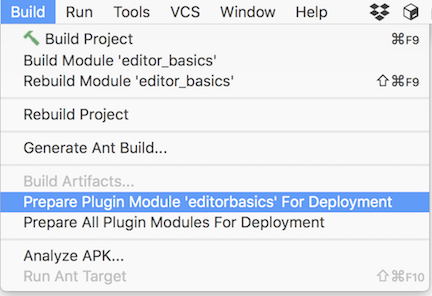
If the plugin module does not depend on any libraries, a
.jararchive will be created. Otherwise, a.ziparchive will be created, including all the plugin libraries specified in the project settings.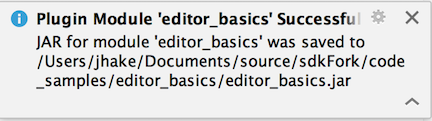
Install the newly created archive/jar file from disk. The
editor_basicscode sample builds the plugin archive/jar into theeditor_basicsproject folder: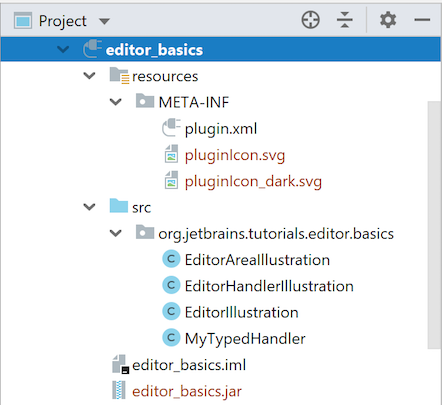
Restart your IDE so the changes will take effect.